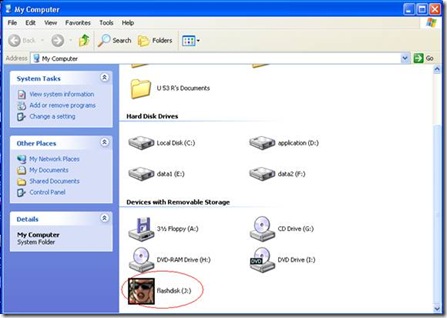
Fed up w/ ur flashdisk icon? Do you want to change it with your picture or photo. Just follow these steps and you will have the most colorful icon your flashdisk...
- First of all, you have to choose which picture file you want to integrate in your flashdisk icon. (The picture file must have .exe , .dll , and .ico extension)
- Copy the picture file on root directory of ur flashdisk
- Open notepad and copy this simple code
[Autorun]
Icon = xxx.ekstensifile
Change the xxx w/ the picture file name which you copied to ur fd - Save on your flashdisk and give it a name with autorun.inf
- Safely remove your flashdisk and put on your flashdisk once again to your PC
- You'll see, that your flashdisk icon has been changed.


0 comments:
Post a Comment