In this article I will explain you the procedure to hide you most private data on your PC. Maybe some other tips recommend you to hide your private data by using some special programs, but I will explain you a very simple tips to hide it and I'm sure there is no difficulties to try it!
- First, you have to know where is the address of your data you want to hide.
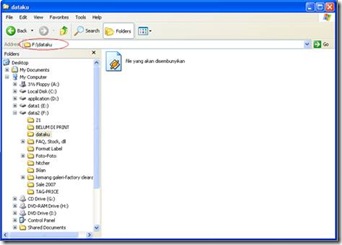
- Open command prompt (known as cmd in Windows XP)
- On the cmd window, type the 2 first character of your address. And then press Enter
i.e : you save the file in drive F so on the cmd window you have to type F: - The next step is you have to copy the private data Address (you can copy it using Windows Explorer)
- Go to the command prompt, type cd and then paste the address which you copied b4. Press Enter
![clip_image002[6]](http://lh6.ggpht.com/ferdi.kurniawan90/SNUHqTTrr-I/AAAAAAAAAG4/DUqESALus4s/clip_image0026_thumb2.jpg?imgmax=800)
- Next, on the command prompt; type
Attrib *.mp3 +h +sType of file
the formula
Word doc Attrib *.doc +h +s executable file Attrib *.exe +h +s avi video Attrib *.avi +h +s - If you have typed the formula corectly, press enter
- Slurp... your file has gone!
- How to recover it?
- Just easy you just need to follow all instruction above and change the formula on the step 6 with:
Attrib *.mp3 -h -s - Easy, isn't it?

![clip_image002[6]](http://lh6.ggpht.com/ferdi.kurniawan90/SNUHpW1fEyI/AAAAAAAAAG0/ad1h8YBpVnA/s1600-h/clip_image00264.jpg)

0 comments:
Post a Comment