Turn off your Autorun, for what? Well by turning off your autorun you can be safeguarded from some kind of viruses or spyware. It is simple to do and no need to be skillful in script coding or somethin' Just follow these easy steps.
- Run gpedit.msc , by typing it on the windows-run menu
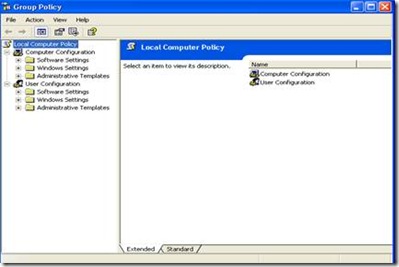
- Look at the left window, click on Administrative Templates on the Computer Configuration group
- Click on folder system
- Take a look at the right window and double click at "Turn off Autoplay" choice
- Click Enabled and choose all drives on the Statement Turn off Autoplay on:
![clip_image002[7]](http://lh5.ggpht.com/ferdi.kurniawan90/SNUHGnUhCrI/AAAAAAAAAGg/5jczkOW7UrY/clip_image0027_thumb.jpg?imgmax=800)
- Click OK and you just turn off your autorun

![clip_image002[7]](http://lh3.ggpht.com/ferdi.kurniawan90/SNUHFuXPY2I/AAAAAAAAAGc/l68mZbSiFag/s1600-h/clip_image00272.jpg)

0 comments:
Post a Comment