Author: Ferdi
Have you ever been blocked by your PC Administrator when you want to access your Task Manager? If you have, you must be the victim of such a simple virus. It’s easy enough to restore your task manager. Just following this procedure which takes less than 5 minutes:
1. Open Notepad from the start menu
2. Type the script below on the Notepad window:
Echo off
REG ADD HKCU\Software\Microsoft\Windows\CurrentVersion\Policies\System\vDisableTaskMgr /t REG_DWORD /d 0 /f
Exit
3. Save the file (press Ctrl+S)
4. Rename with taskmanager.bat
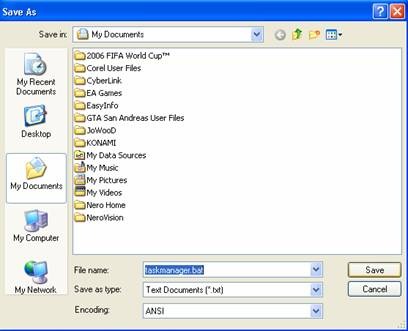
5. Click Save
6. Process your file by double click on your saved project/file.
7. Once you will a black window blink, it means you just restore your lovely task manager.
8. Restart your computer to see the result.

0 comments:
Post a Comment